
Westinghouse Generator Light Troubleshooting
Updated: February 2, 2026
I’ve worked on dozens of Westinghouse generators over the years, and the indicator lights are actually pretty straightforward once you know what each one means. In this guide, I’ll walk you through exactly what to do when each light comes on.
Contents
- 1 Westinghouse Generator Light Troubleshooting – Quick Reference
- 2 Problem 1: Overload Light Flashing
- 3 Problem 2: Battery Indicator Light (Yellow)
- 4 Problem 3: Low Oil Light (Red)
- 5 Problem 4: CO Sensor Light (Red)
- 6 Conclusion
- 7 Frequently Asked Questions
- 7.1 Why is my Westinghouse generator overload light on with nothing plugged in?
- 7.2 How do I reset my Westinghouse generator after overload?
- 7.3 What does a yellow battery light mean on a Westinghouse generator?
- 7.4 Why won’t my Westinghouse generator start even with a green battery light?
- 7.5 How often should I check the oil in my Westinghouse generator?
- 7.6 Can I run my Westinghouse generator in the rain?
Westinghouse Generator Light Troubleshooting – Quick Reference
Here’s a quick overview of the most common Westinghouse generator warning lights:
| Light | Color | Meaning | Fix |
|---|---|---|---|
| Overload Light | Flashing | Too much load connected | Reduce load, press RESET |
| Battery Light | Yellow | Battery needs charging | Charge 6-8 hours or replace |
| Low Oil Light | Red | Engine oil low | Add SAE 10W-30 oil |
| CO Sensor Light | Red | Carbon monoxide detected | Move to open area |
| Output Ready | Green | Generator working normally | No action needed |
Now let’s go through each problem in detail.
Problem 1: Overload Light Flashing
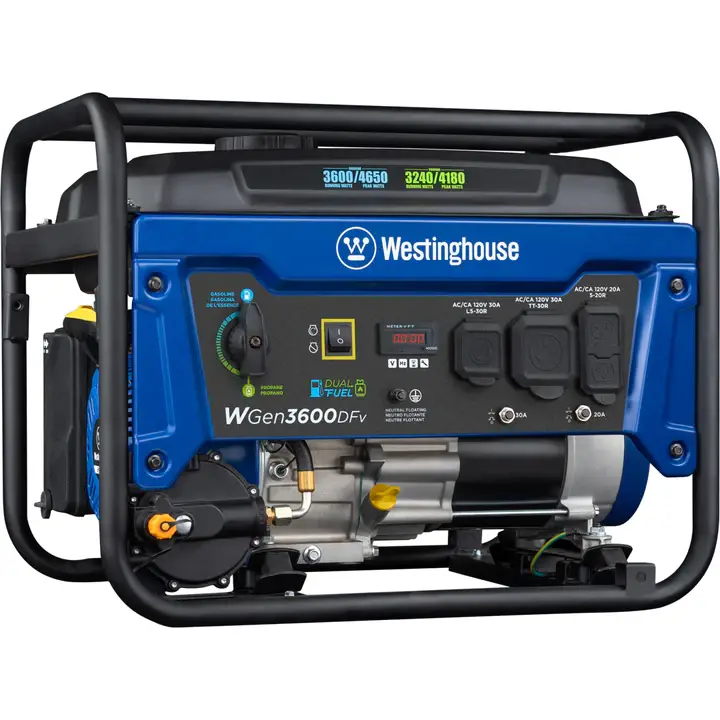
This is the most common issue I see with Westinghouse generators. When the overload light starts flashing, the OUTPUT READY LED turns off and the generator stops providing power.
Why It Happens
The overload light triggers when you’re drawing more power than the generator can handle. This usually happens when:
- You plugged in too many devices at once
- A high-draw appliance like an AC unit or power tool started up
- There’s a short circuit in one of your extension cords or devices
How to Fix It
Here’s the reset process that works on most Westinghouse models:
- Unplug everything from the generator’s outlets (240V, 12V, and USB ports)
- Locate the RESET button on the control panel
- Press and hold RESET until the overload light stops flashing and the output light turns green
- Reconnect devices one at a time, starting with the lowest-draw items
- Stagger high-draw appliances – don’t start two big loads simultaneously
For iGen1200, 2200, and 2500 models: You’ll need to completely stop the generator and restart it instead of using the reset button.
For iGen4500: Press and hold the reset button until the overload light goes off.
If the overload light comes on with nothing plugged in, you likely have a faulty AVR (Automatic Voltage Regulator). Contact Westinghouse support at +1 (855) 944-3571 for this issue.
For more detailed steps, check out our guide on how to fix an overloaded generator.
Problem 2: Battery Indicator Light (Yellow)
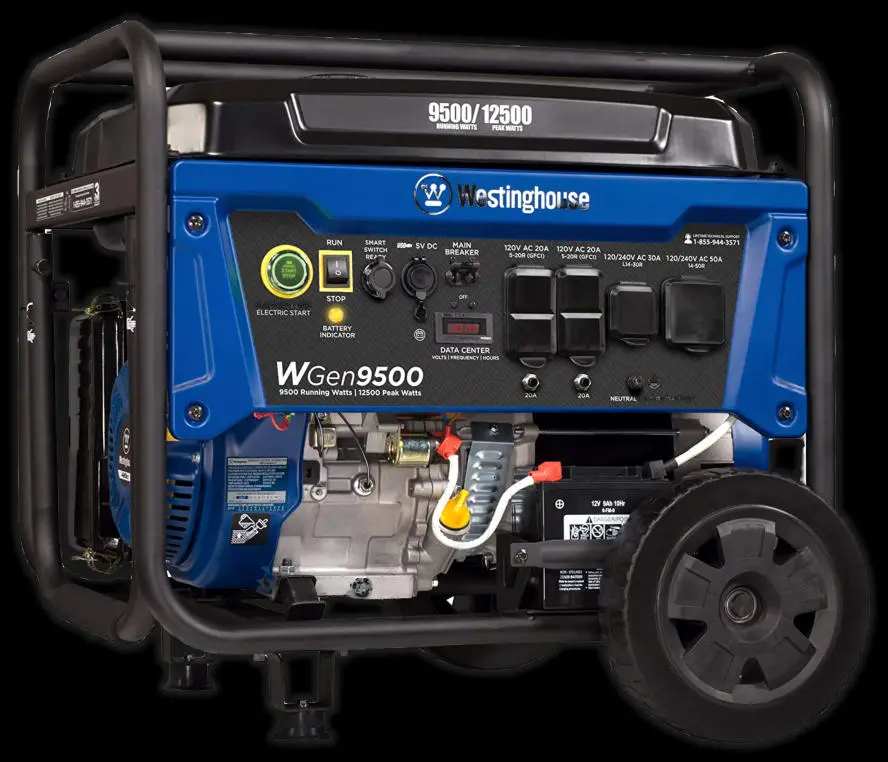
On Westinghouse generators with electric start, the battery indicator tells you the charging status. Green means fully charged. Yellow or flashing means there’s a problem.
Why It Happens
The battery light usually indicates:
- Battery hasn’t been charged in a while
- Corroded or loose battery terminals
- Battery has reached end of life (typically 3-5 years)
How to Fix It
Step 1: Check connections
Make sure the battery terminals are tight and free of corrosion. If you see white or green buildup, clean them with a brass brush and a baking soda solution.
Step 2: Charge the battery
Plug in the generator or use the built-in charger. Let it charge for 6-8 hours until the light turns green.
Step 3: Replace if needed
If the battery won’t hold a charge after a full charging cycle, it’s time for a replacement:
- Disconnect the old battery (negative cable first)
- Remove from battery tray
- Install new battery
- Connect positive cable (red) first, then negative (black)
- Secure the boots over the terminals
Problem 3: Low Oil Light (Red)
The low oil warning is actually a great safety feature. It prevents engine damage by alerting you before the oil level gets too low.
Why It Happens
Engine oil naturally decreases over time through normal use. Some oil burns off during operation, and small leaks can develop. Most generators need an oil check every 8-10 hours of use.
How to Fix It
- Turn off the generator and let it cool for 5-10 minutes
- Remove the engine cover to access the oil fill
- Unscrew the oil fill plug (counter-clockwise)
- Add oil slowly until it reaches the bottom lip of the fill hole
- Reinstall the plug and cover
Use a quality 4-stroke engine oil with at least API SF classification. We recommend SAE 10W-30 oil for most conditions.
If you have a different generator brand, check our guide on the best oil for Generac 22kW generators – the principles are similar.
Problem 4: CO Sensor Light (Red)
Some newer Westinghouse models have a built-in carbon monoxide sensor. This is a life-saving feature that shuts down the generator if CO levels get dangerous.
Why It Happens
The CO sensor triggers when:
- Generator is running in an enclosed or partially enclosed space
- Exhaust fumes are accumulating near the unit
- Wind is blowing exhaust back toward the generator
A yellow CO light indicates the sensor itself may be faulty.
How to Fix It
For a red CO light:
- Immediately move to fresh air if you’re near the generator
- Relocate the generator to an open outdoor area
- Position it at least 20 feet from any building, window, or door
- Point the exhaust away from occupied spaces
- Restart the generator once properly positioned
For a yellow CO light (faulty sensor):
This requires professional diagnosis. Contact Westinghouse service at +1 (855) 944-3571.
Having similar issues with other generator brands? Check out our DuroMax XP12000EH troubleshooting guide or our popular Generac red light troubleshooting article.
Conclusion
Westinghouse generator warning lights are designed to help you catch problems early. In most cases, the fix takes less than 10 minutes once you know what each light means. The key is to address the issue promptly – ignoring a warning light can lead to bigger problems down the road.
If you’ve tried the troubleshooting steps above and the light persists, don’t hesitate to contact Westinghouse support. Some issues, especially those involving the AVR or CO sensor, really do need professional attention.
Frequently Asked Questions
Why is my Westinghouse generator overload light on with nothing plugged in?
If the overload light comes on with no load connected, you likely have a faulty AVR (Automatic Voltage Regulator). This is an internal component issue that requires professional repair. Contact Westinghouse support at +1 (855) 944-3571.
How do I reset my Westinghouse generator after overload?
Unplug all devices from the generator. Locate the RESET button on the control panel and press it until the overload light stops flashing and the output ready light turns green. For iGen1200, 2200, and 2500 models, you’ll need to stop and restart the generator instead.
What does a yellow battery light mean on a Westinghouse generator?
A yellow battery light means the battery is not fully charged. Plug in the generator and let it charge for 6-8 hours. If the light doesn’t turn green after a full charge cycle, the battery may need replacement.
Why won’t my Westinghouse generator start even with a green battery light?
If the battery shows green but the generator won’t start, check the fuel level, oil level, and spark plug. Also ensure the fuel valve is open and the choke is in the correct position for starting. A clogged carburetor from old fuel is another common cause.
How often should I check the oil in my Westinghouse generator?
Check the oil level before every use and every 8-10 hours during extended operation. Change the oil after the first 20 hours of use on a new generator, then every 50-100 hours thereafter. Use SAE 10W-30 oil for most conditions.
Can I run my Westinghouse generator in the rain?
Never run a generator in direct rain. Water and electricity are dangerous, and moisture can damage the electrical components. Use a generator tent or canopy designed for this purpose, ensuring it still has proper ventilation for exhaust fumes.
As an Amazon Associate I earn from qualifying purchases.