
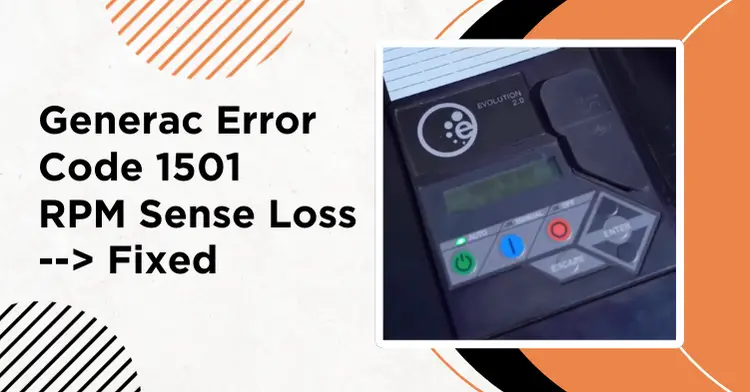
Generac Error Code 1501: RPM Sense Loss Causes & Fixes
Updated: February 18, 2026
Generac error code 1501 on your home standby generator? This code—along with related codes 1505, 1511, and 1515—indicates an “RPM Sense Loss” condition. It means the controller couldn’t detect a valid RPM signal during starting/cranking (and in some cases, it can also appear if the unit stalls or loses the RPM signal while running).
Most of the time, the cause is a weak battery or a bad connection rather than an engine failure. Below are the most common causes and what you can do before calling for service.
1-minute check:
- Measure battery resting voltage (12.6V+ is good; below 12V means charge or replace)
- Inspect terminals and ground strap for corrosion
- Clear the alarm: OFF, then ENTER twice, then AUTO
Contents
- 1 What Does Error Code 1501 Mean?
- 2 Common Causes of Generac Error Code 1501
- 3 How to Clear Error Code 1501
- 4 Step-by-Step Troubleshooting
- 5 Cost Estimates for Repairs
- 6 When to Call Generac Service
- 7 Preventing Generac Error Code 1501
- 8 Related Error Codes
- 9 Frequently Asked Questions
- 10 Related Troubleshooting Guides
- 11 Conclusion
What Does Error Code 1501 Mean?
Error code 1501 is part of the “RPM Sense Loss” family of codes. When your Generac tries to start, the controller sends a signal to crank the engine. It then expects to receive a signal back confirming the engine is turning at the correct RPM.
If the controller doesn’t get that confirmation, it triggers one of these codes:
| Error Code | Meaning |
|---|---|
| 1501 | RPM Sense Loss during crank |
| 1505 | RPM Sense Loss during crank |
| 1511 | RPM Sense Loss during crank |
| 1515 | RPM Sense Loss during crank |
These four codes belong to the same RPM Sense Loss family and are used across different Generac product lines and controllers. The troubleshooting steps below apply to all of them.
Key point: In most cases, the engine either didn’t turn at all or didn’t turn fast enough for the controller to detect it.
Common Causes of Generac Error Code 1501
1. Weak or Dead Battery (Most Common)
A weak battery causes most RPM sense loss errors. Even if it reads 12V at rest, it may not deliver enough power during cranking. If the battery keeps going weak, check the charger circuit and AC feed to the unit. A dead charger is a common reason batteries drain over time (see error code 2780 below).
Signs of battery problems:
- Battery voltage drops below 10V during cranking
- Slow cranking sound
- Battery is more than 3-4 years old
- Corroded or loose terminals
What to check:
| Battery Voltage | Status | Action |
|---|---|---|
| 12.6V+ (at rest) | Good | Battery is charged |
| 12.0-12.5V (at rest) | Low | Charge the battery |
| Below 12V (at rest) | Dead/Failing | Replace battery |
| Drops below 10V during crank | Weak | Replace battery |
2. Dirty or Loose Battery Connections
Even a good battery can’t deliver power through corroded terminals. High resistance in the connections causes voltage drop during cranking.
Signs:
- White or green corrosion on terminals
- Terminals feel loose when wiggled
- Battery reads 13.5-14.2V at rest (this often means the charger is still active, not the true resting voltage)
- Voltage drops to 8V or lower during a crank attempt
Fix:
- Turn the generator to OFF before touching the battery
- Wear safety glasses and gloves
- On many home standby units, Generac recommends removing the 7.5A fuse to disable the controller and charger. Check your manual for the exact procedure.
- Disconnect the negative cable first, then positive
- Clean terminals with a wire brush or battery terminal cleaner
- Apply dielectric grease or terminal protector
- Reconnect positive first, then negative
- Ensure connections are tight
3. Starter Motor or Solenoid Issues
Battery checks out but the engine won’t crank? The starter motor or solenoid may be failing.
Signs:
- Clicking sound but no cranking
- Grinding noise during start attempt
- Starter engages intermittently
Check the starter relay: Near the controller, there’s a small black cube relay with four wires. This relay sends power to the starter solenoid. A failed relay can cause no-crank conditions.
4. Low Oil Level
Generac generators have a low oil shutdown to protect the engine. If oil is below the minimum, the generator may crank briefly and then stop, triggering an RPM sense loss code.
Fix: Check the oil level with the dipstick. Add SAE 10W-30 (or 5W-30 in cold weather) until the level is between the MIN and MAX marks.
5. Fuel Delivery Problems
When the engine cranks but doesn’t fire, fuel problems can trigger the RPM sense loss code because the engine never reaches operating speed.
Check:
- Gas valve is in the ON position
- Fuel lines aren’t kinked or blocked
- Fuel regulator isn’t corroded (for LP/NG units)
- Air filter isn’t clogged or restricted (a dirty air filter can prevent the engine from reaching operating speed)
6. Ignition Coil or Spark Plug Issues
Without spark, the engine will crank but never fire. The controller sees RPM during cranking but then loses the signal when the engine fails to start.
Check:
- Spark plug condition: replace if fouled, cracked, or worn
- Ignition coil connections
- Gap between ignition coil and flywheel
How to Clear Error Code 1501
Before the generator will run again, you need to clear the alarm:
- Turn the generator to OFF first
- Press the ENTER button twice (this is the typical sequence for Evolution controllers; other controllers like Nexus or Power Zone use different steps. Check your manual.)
- The alarm should clear
- Press AUTO to return to automatic mode
- The generator should be ready to start on the next power outage
To manually test: After clearing the alarm, switch from AUTO to OFF, then to MANUAL/RUN. The generator should attempt to start.
Step-by-Step Troubleshooting
Follow this sequence to diagnose Generac error code 1501:
Step 1: Check Battery Voltage
- Use a multimeter to measure battery voltage at rest (should be 12.6V+)
- Have someone attempt to start the generator while you watch the voltage. Stand clear of moving parts and hot surfaces during cranking.
- If voltage drops below 10V during cranking, the battery is weak or connections are bad. Below ~9.6V under cranking load usually indicates a failing battery that needs replacement.
Step 2: Inspect Battery Connections
- Check for corrosion on terminals
- Ensure cables are tight. Try to wiggle them
- Follow the ground cable to its connection point on the engine and check for corrosion there too
Step 3: Check Oil Level
- Remove the dipstick and wipe clean
- Reinsert fully, then remove and check the level
- Oil should be between MIN and MAX marks
- If low, add oil and recheck
Step 4: Listen During Crank Attempt
- No sound at all: Battery, connections, or starter relay
- Click but no crank: Starter solenoid or starter motor
- Cranks but doesn’t fire: Fuel or ignition problem
- Cranks slowly: Weak battery
Step 5: Check Starter Relay
- Locate the small black relay near the controller
- Listen for a click when a start is attempted
- No click at all? The relay may be faulty
- Clicks but doesn’t crank? Check the starter solenoid and motor
Step 6: Clear Alarm and Test
- After fixing the issue, clear the alarm (OFF, then ENTER twice)
- Put in MANUAL mode and attempt a start
- If it starts and runs normally, return to AUTO mode
- Monitor during the next few start cycles
Cost Estimates for Repairs
| Repair | DIY Cost | Professional |
|---|---|---|
| Clean battery terminals | $0-5 | $50-100 |
| Replace battery | $80-150 | $150-250 |
| Replace starter relay | $20-40 | $100-175 |
| Replace starter motor | $100-200 | $250-400 |
| Replace ignition coil | $30-60 | $125-200 |
When to Call Generac Service
Call a certified Generac technician if:
- The error code keeps returning after you’ve checked battery and connections
- You hear grinding or unusual noises from the starter
- The generator is under warranty
- You’re not comfortable working with electrical systems
- The control panel shows multiple error codes
- You suspect internal engine damage
Generac Support:
- Phone: 1-888-GENERAC (1-888-436-3722)
- Find a dealer: generac.com/service-support
- Help Center: support.generac.com
Preventing Generac Error Code 1501
| Prevention | Frequency | Why It Helps |
|---|---|---|
| Check battery voltage | Monthly | Catch weak batteries before they fail |
| Clean battery terminals | Every 6 months | Prevents corrosion buildup |
| Replace battery | Every 3-4 years | Batteries weaken with age |
| Run weekly exercise | Weekly (automatic) | Keeps battery charged, identifies issues early |
| Check oil level | Monthly | Prevents low oil shutdowns |
| Annual maintenance | Yearly | Professional inspection catches problems |
Related Error Codes
If you’re seeing other codes along with 1501, these are the most common ones:
| Code | Meaning | Common Cause |
|---|---|---|
| 1100 | Overcrank | Engine cranks but won’t start (fuel/spark) |
| 1300 | Underspeed | Engine running too slow (load/fuel) |
| 1600 | Overspeed | Engine running too fast (governor) |
| 2780 | Charger Missing AC | No utility power to battery charger |
For more on error code 2780, see our Generac Charger Missing AC guide.
Frequently Asked Questions
What does RPM sense loss mean on a Generac generator?
RPM sense loss means the controller tried to start the engine but didn’t receive confirmation that the engine was actually turning. This usually happens during the crank cycle and is most often caused by a weak battery, poor connections, or a starter problem.
How do I clear error code 1501 on my Generac?
Turn the generator to OFF, press ENTER twice, then press AUTO (typical for Evolution controllers). Other controllers can differ. Check your manual. If the code returns, the underlying problem hasn’t been fixed. Check the battery, connections, and oil level.
Why does my Generac keep showing 1501 after I replace the battery?
If you replaced the battery and still get the code, check the battery cable connections for corrosion or looseness. Also check the starter relay (small black cube near the controller) and the starter motor itself. Voltage drop during cranking should stay above 10V.
Can a bad spark plug cause error code 1501?
Indirectly, yes. If the spark plug is bad and the engine won’t fire, the engine will crank without reaching running speed. The controller sees the engine stopped during what should have been startup, triggering an RPM sense loss code.
How often should I replace my Generac generator battery?
Most generator batteries last 3-4 years. In hot climates, they may fail sooner. Check voltage monthly and replace the battery proactively before it fails during an outage when you need the generator most.
Related Troubleshooting Guides
- Generac Generator Red Light On – Understanding status lights
- Generac Charger Missing AC (Code 2780) – Battery charger issues
- Generac Weekly Test Not Working – Exercise cycle problems
- Generator No Power Output – When the engine runs but no electricity
- Why Generac Generator Won’t Start – General starting issues
Conclusion
Generac error code 1501 (and related codes 1505, 1511, 1515) usually traces back to the battery or its connections. Check battery voltage first and try cleaning the terminals. That fixes most cases.
If the battery checks out, move on to the starter relay and starter motor. These are the next most common culprits.
After making repairs, clear the alarm and monitor the generator during the next few start cycles to confirm the fix held. If the code keeps coming back, it’s time to call Generac service at 1-888-GENERAC.